

As a freelancer, you do the client work and the business work. That means your time can disappear into planning, emails, admin, and follow-ups.
AI platforms can streamline your freelance business by helping you work faster and stay organised. The best ones fall into four groups: planning your day, writing and clarity, automating admin, and meeting notes.
This article covers the top 7 platforms in those groups and shows you how to use each one in a simple, practical way.
The top 7 platforms covered: Motion and Reclaim (planning), ChatGPT and Claude (writing and clarity), Zapier (automation), Fireflies and Otter (meeting notes).
What each platform type helps you do: plan your day, understand client requests faster, automate repeat admin tasks, and capture action items from calls.
How to get results fast: set up one platform for your biggest time-waster first, then build simple habits around it (daily planning, clearer next steps, fewer manual steps).
How to choose free vs paid: start on free plans or trials, then upgrade only when you hit real limits like usage caps, integrations, or advanced features you need Motion and Reclaim for Planning Your Day
Motion and Reclaim for Planning Your Day
If you freelance, your day can change fast. A new client message can shift your whole schedule. Planning platforms help because they build your plan around your calendar, then adjust it when things change.
What these platforms do
Motion automatically schedules your tasks on your calendar based on priority and deadlines.
Reclaim protects focus time and auto-reschedules blocks when meetings or conflicts come up.
Why this helps freelancers
You spend less time deciding what to do next.
You protect focus time for paid work.
You reduce missed deadlines because tasks are time-blocked.
How to use them in a simple way
Add your tasks with deadlines and an estimated time.
Set the priority for each task.
Let the platform place tasks into your calendar.
Do a quick review each morning and after new work comes in.
One prompt to support your daily plan
“Act as my daily planning assistant. I am a freelancer. Here are my tasks and deadlines: [paste]. Here are my fixed meetings or commitments: [paste]. Put everything in priority order, choose the three most important tasks for today, and create a realistic plan for the day with focus time and a short email/admin block. If the plan is too full, move lower priority tasks to tomorrow and tell me what you moved. Start with the first step I should do right now.”
ChatGPT and Claude for Faster Writing and Clearer Work
As a freelancer, you spend a lot of time reading client messages and writing replies. Chat platforms help because they turn rough input into clear output quickly.
What these platforms do
ChatGPT helps you draft, rewrite, summarise, and structure information fast.
Claude helps you write, summarise, and organise content in a clear, readable way.
Why this helps freelancers
You reply faster, even on busy days.
You reduce misunderstandings because your messages are clearer.
You spend less time starting from scratch.
How to use them in a simple way
Paste the client message or your rough notes.
Ask for a summary in bullet points.
Ask for deliverables, deadlines, and questions to confirm.
Ask for a short checklist of next steps.
One prompt you can use
“Act as my project assistant. Read this client message and rewrite it into a clear brief: [paste]. Summarise what they want in plain English, list what I need to deliver, note any deadlines or time cues, point out anything unclear or missing, write the questions I should ask before I start, and give me a simple next-steps checklist so I can begin work without guessing. Do not invent details.”
Zapier for Automating Repetitive Admin Tasks
As a freelancer, small admin tasks can steal hours each week. Zapier helps by connecting your apps and running simple workflows for you, so you do less manual copying, pasting, and chasing.
What this platform does
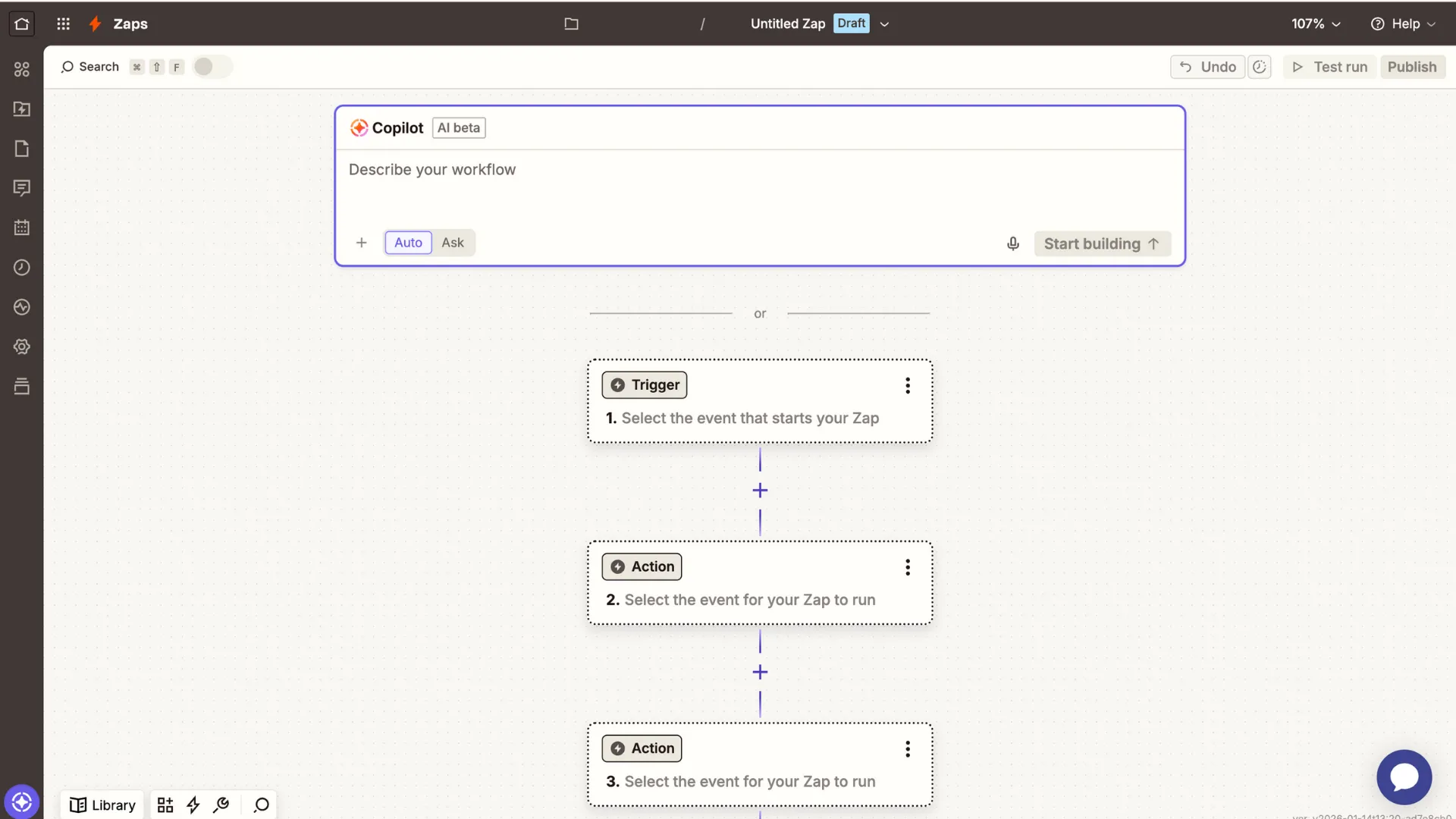
Zapier connects your tools and automates workflows using a simple rule: when this happens, do that.
Why this helps freelancers
You save time on repeat tasks like follow-ups and admin steps.
You miss fewer important actions because workflows run automatically.
You keep your process consistent, even when you are busy.
How to use it in a simple way
Pick one repeat task that wastes your time.
Choose a trigger (for example: a new email, form submission, or calendar booking).
Add one or two actions (for example: create a task, send a message, add a row to a sheet).
Example workflows you can automate
New client enquiry → create a task → send an acknowledgement message
New meeting booked → create a prep checklist → set a reminder
One prompt you can use
“Write a short, professional reply to this client enquiry: [paste]. Thank them, confirm what they seem to need in one sentence without guessing, ask three key questions (deadline, scope, budget or constraints), and suggest the next step (reply with details or book a quick call). Keep it friendly, confident, and under 150 words, and end with: Thanks, [Your Name].”
Fireflies and Otter for Meeting Notes and Action Items
As a freelancer, calls can move fast. It is easy to forget what was agreed, or lose track of next steps. Meeting note platforms help because they capture the details for you automatically.
What these platforms do
Fireflies records meetings, creates transcripts, and produces summaries and action items.
Otter transcribes meetings and generates summaries you can use for follow-ups.
Why this helps freelancers
You get clear decisions and next steps after every call.
You follow up faster, with fewer mistakes.
You reduce confusion about scope, deadlines, and responsibilities.
How to use them in a simple way
Let the platform join or record the call.
After the meeting, review the summary and action items.
Copy the key points into your follow-up message, so the client knows what happens next.
.webp)
Free vs Paid Plans
Most of these platforms have a free plan or free trial. Paid plans give you higher limits, more advanced features, and more integrations.
.webp)
Simple buying rule for freelancers
Start with the free plan (or trial) and use it for real work.
Upgrade only when you hit a clear limit, like task caps, meeting minutes, or missing integrations.
Re-check pricing before you subscribe, because plans can change.
Conclusion
AI platforms can help you run your freelance business with less stress and less wasted time. Planning platforms help you organise your day. Chat platforms help you write faster and make client requests clearer. Automation platforms reduce repetitive admin. Meeting note platforms help you capture action items and follow up with confidence.
Start simple. Choose one platform that solves your biggest daily problem and use it for a week. Once it feels easy, you can add the next one.
Frequently Asked Questions
Find answers to common questions about this topic
What are the best AI platforms for freelancers?
Which platform should I start with first?
How can I use ChatGPT or Claude for client work?
What can I automate with Zapier as a freelancer?
Do Fireflies or Otter replace manual meeting notes?
Are these AI platforms free or paid?
Disclaimer: This article is intended to provide practical, up-to-date information. Details may vary based on individual circumstances, location, or changes in regulations. The information provided is for informational and educational purposes only.